
Older AMD GPUs Get a Second Life in Linux's amdgpu Driver
Timur Kristof is a open-source graphics developer and electrical engineer working as a subcontractor for Valve. He used to work on SailfishOS (Jolla), before starting his work on several parts of Mesa, the open graphics drivers stack on Linux.
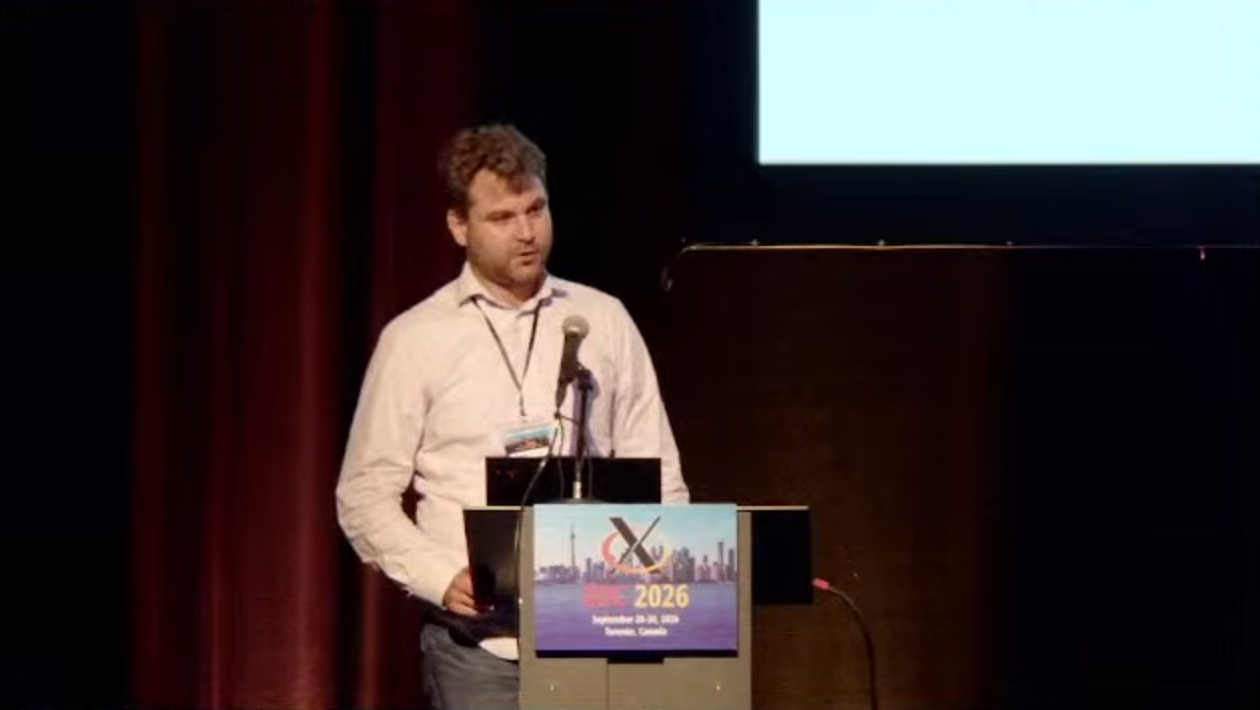
He used his XDC 2026 talk, streamed by the X.Org Foundation on September 30, 2026, to report that decade-old AMD graphics cards now run cleanly on the modern amdgpu driver. The work closed long-standing gaps in display output, video encode and decode, and crash recovery across the GCN generations.
Why Old AMD GPUs Still Matter
Kristof opened by recalling a promise he had made at last year’s conference before checking whether it held up. He wanted to know if old hardware was genuinely usable now, not just nominally supported in the driver tree. He framed the underlying question directly to the room:
So why would anyone want to use a 10-year-old GPU or an even older one? Well, maybe you wouldn’t want to, but there are still plenty of people in the world who would. These GPUs can still play many games. They are very useful for schools and universities to teach about graphics programming.
The remaining cases he named were everyday ones rather than niche hobbyist scenarios. A newer card can break while an older one sits in a drawer, some users need more display connectors than their current GPU offers, and others simply want to try Linux on aging machines. He closed the motivation by tying longevity work directly to cost of living. Keeping old hardware functional is not just a technical exercise for him:
I think these days it’s very important to try to avoid e-waste to survive the current economy that we all live in.
It’s a great introduction, showcasing also concern for people who cannot afford the latest hardware and rely on older, used ones.
The Two-Driver Problem and the Move to amdgpu
Linux historically split AMD support between two kernel drivers, and Kristof laid out why that division was a liability for old hardware specifically. Maintaining two code paths meant effort got diluted across generations instead of concentrated where it helped. On the legacy side he described a driver that had stabilized but never gained modern features:
It supports GCN 1 and 2 GPUs, but the main problem with it was that it didn’t support Vulkan. It’s lacking some display features such as MST, atomic commits, HDR.
The modern unified driver fixed those core gaps out of the box. That made it the obvious long-term home for every generation:
The new driver is called amdgpu. This one supports Vulkan from the start. It has a very decent display driver with better performance.
The catch was that unification had never actually been finished for older chips, and that unfinished state was exactly what his 2026 work targeted:
The problem with it is that this driver was never really feature complete with these old GPUs. There were some missing things and there were bugs… Basically we fixed all of that… So I think we are in a pretty good state now.
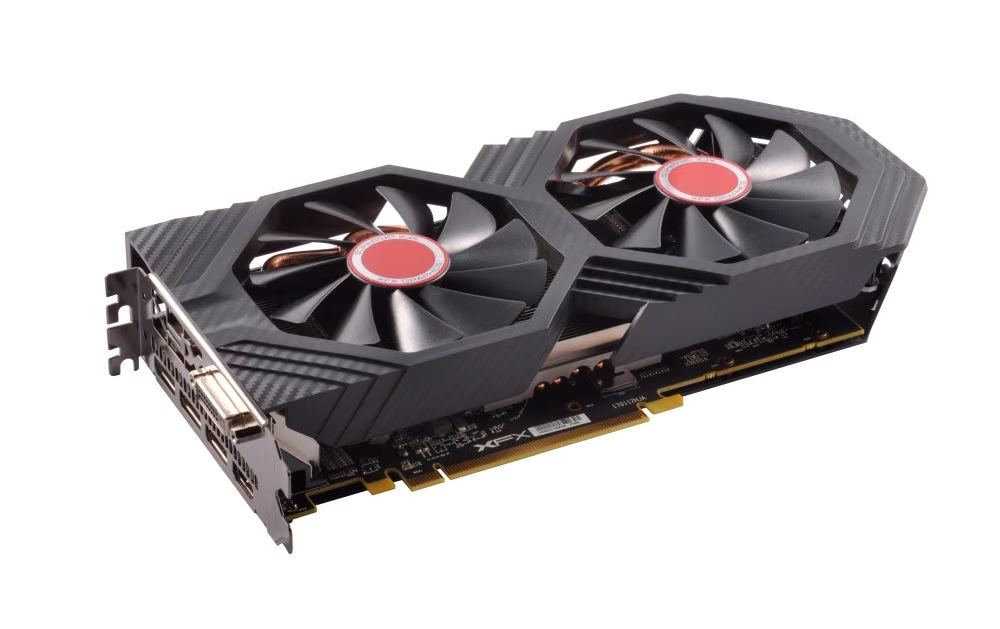
A natural question is why he did not instead bolt Vulkan onto the legacy driver, since it already ran those cards. He dismissed that path as chasing dead technology with poor underlying APIs:
The answer is basically it’s kind of dead technology. We would do a lot of code churn for something that doesn’t really work well… And the main issue is that the U API that Radeon has, it’s not suitable for Vulkan.
That reasoning pushed the strategy toward one driver covering every generation at once:
We should use amdgpu for all the GCN generations because I think it’s better to focus the effort on just one driver instead of splitting it between two.
Finally someone who pushes what needs to be said about the AMD support. A single driver is exactly what we need.
What Changed in 2026
With consolidation settled, Kristof set out to remove every hidden caveat that followed a claim of support for these cards. The goal was simple: when the driver says it works, it should work end to end without buts. That effort split into two distinct areas with very different failure modes. Display output and video encode/decode each had their own set of bugs and missing features that needed separate treatment.
The Display Driver
amdgpu ships both a legacy display path and the newer DC, or Display Core, stack. Consolidation therefore meant proving that every supported generation could actually run on DC rather than falling back to old code. He booted with DC forced on across the board and watched for breakage, finding a clear pattern as he went:
On some GPUs it was already the default, on others there were issues. Basically the older the GPU, the more likely that it had issues.
A large share of those failures came from power management and bandwidth ceilings nobody had properly characterized for these chips:
The upper limits of the GPUs are not really well known or well tested. Say you take this GPU and plug in a 4K 120 Hz display. It cannot output 4K 120 Hz but you would expect it to actually output 4K 60 Hz or 4K 30 Hz, right?
Chasing the board-specific bugs that survived those fixes required real hardware in hand:
So basically I did some shopping on eBay. Very exciting stuff. But now most of it is fixed and eventually it all worked.
Analog output turned out to be a hidden trap that even surprised him, because many “VGA” ports are not analog at all!!
The analog connectors on some boards are not actual analog connectors, but rather these DisplayPort bridge encoders. The driver sees something in a DisplayPort, you look at the board there is no DisplayPort, but your VGA is basically a DisplayPort.
He could not figure everything by himself, and credited the display team for helping land all of this work once it was understood what each port really was on paper versus in silicon.
Video Encoding and Decoding
The oldest generation lacked a supported video encoder in amdgpu, so Kristof set out to add one despite reference code already existing elsewhere:
It couldn’t load the firmware for the video encoder because it needed a 32-bit address but also needed to be in VRAM, and VRAM was not at the first 32 bits of the address space.
That constraint came from how amdgpu assigns addresses between system memory (GART) and on-chip video memory, which differs subtly from older drivers:
We decided… let’s map the firmware in GART, use the address inside the GART.
Once that mapping was in place the encoder loaded and ran correctly. The fix was small but it required understanding two memory models well enough to bridge them without breaking anything else on these cards.
Decoding had a separate regression tied directly to how buffers get allocated, which only surfaced after users started reporting failures:
I started looking into that and found out it got broken when they enabled the buddy allocator. We tracked down those bugs, fixed it…
That investigation also exposed one missing edge case in how buffers can move around inside system memory:
It doesn’t support GTT-to-GTT moves (i.e. moving or page-remapping memory allocations within system memory)
Adding that path completed the set of legal buffer movements for these cards. Without it, certain decode workloads would hit an unsupported transition and fail in confusing ways at runtime rather than at setup time.
GPU Recovery Without Taking Down the System
Kristof called recovery the hardest problem of the whole effort because a hung card dragging down the entire machine is what users hate most about these GPUs. On the oldest generation only full reset was available as an escape hatch. Full reset is blunt by design and often unreliable on this hardware:
On the oldest generation they only support full reset. You lose everything on the GPU, and if lucky your system restarts your desktop maybe. If not so lucky you get into a loop where it recovers then hangs again.
He first tried queue-level (Q) reset because it isolates a single application and leaves the rest of the system untouched:
The kernel resets a specific hardware queue, only affects that one application. But it’s not reliable on those generations. I gave up on that.
The workable path turned out to be a soft reset of the graphics block, which is coarser than Q reset but far more dependable on these chips:
It resets a specific hardware block, in our case the GFX block… Upside: you keep VRAM contents, other hardware blocks unaffected.
Getting that to work required serious cleanup of dead code and survived some dramatic early failures during testing:
When I tried it first time I was happy I could recover the GPU, then started a game and the GPU fell off the PCIe bus. On other GPUs after reset GFX block consumed much more power than before.
Trial and error eventually produced a reliable sequence of steps around the actual reset:
Block new jobs from executing. Give time for in-flight jobs to finish… Back up the contents of all rings… Then do the reset, paying attention to clock and power gating settings which were missing before. Restore ring contents, unblock them. GPU flies again as if nothing happened.
The user-facing result is a contained failure rather than a system-wide crash:
When a game hangs or app you’re developing hangs, instead of your whole system dying, you just see the game crash. Other components stay working.
That’s a relief.
Current Status, Releases, and What Users Can Do
On the Mesa side both userland drivers already covered these chips from day one, so the kernel work did not need a matching userspace rewrite:
We have OpenGL Gallium driver (radeonsi) and Vulkan driver RADV. These supported all these GPUs from the beginning.
Continuity now comes from continuous integration across every generation, which catches regressions automatically whenever code lands in either userland driver:
Thanks to Martin’s work we now have every generation in CI — whenever changes merge in RADV or radeonsi, jobs run automatically catching regressions easily. This runs alongside broader Vulkan driver development tracked at last year’s XDC: see also an earlier talk on the state of RADV.
He reported steady feature progress for these cards over time, with a few pieces still in flight rather than fully done:
ACO support on these GPUs for a long time. Vulkan 1.3 supported for a long time… Video works kind of but some missing features — thinking about workarounds. Working on transfer queue and sparse bindings (should work, needs more testing).
The headline gap he closed this cycle was format modifiers, which modern compositors depend on to know what a GPU can present:
One main issue: no DRM format modifiers support, very popular feature request… absolutely necessary for modern Linux desktops because compositors rely on them to know what the GPU supports.
The number of real combinations turned out to be far smaller than feared once he untangled tiling and compression across the generations:
Reality is not that bad, only small handful of format modifiers, slightly different between each chip.
The fix required both kernel and Mesa to declare their respective capabilities so a compositor can pick one modifier they all share:
Kernel needs to declare what GPU supports for display. Mesa declares rendering support. Compositor queries both and selects shared modifier. Now it’s done, working. Users who rely on those GPUs are very happy.
Kristof summed up what the whole process taught him about how hard these subsystems really are to maintain:
Display is harder than you think. Power management also harder than you think. Lots of respect now for people working on these things… amdgpu is not really a driver, more like a collection of mini drivers (every GPU block has its own with back-end and front-end). Now I’m a kernel developer myself.
The changes ship across specific releases so users know exactly which kernels to target:
Linux 6.19: amdgpu default for all old GCN GPUs Kernel 7.1: default for all old APUs Kernel 7.3: DRM format modifiers and improved GPU recovery
He closed by inviting hands-on testing from anyone who actually owns one of these cards, since real-world use is what will surface the last remaining bugs:
If you have one of those GPUs, play games. Report bugs — even with workarounds, we want to know about them so we can fix them.
I actually have a machine with an older AMD GPU, and I intend to do exactly just that, with CachyOS bringing the latest kernel versions for best/latest GPU support. In any case, great to see that older GPUs are not forgotten in the Linux world and that people are actually spending some of their valuable time to make them work better than they ever did!